Learn more about Ricgraph
Ricgraph has been developed for the application area research information. It can be used for other application areas that require relations between items from various source systems.
What can you do with Ricgraph?
In the menu bar, you can find more information on how to:
- explore collaborations between (sub-)organizations with Ricgraph.
- explore the open science landscape with Ricgraph.
- enhance research information systems with Ricgraph.
Below, you will find more use cases and example research questions. You can read more about Ricgraph and install and use Ricgraph.
Use cases
Use case for a journalist
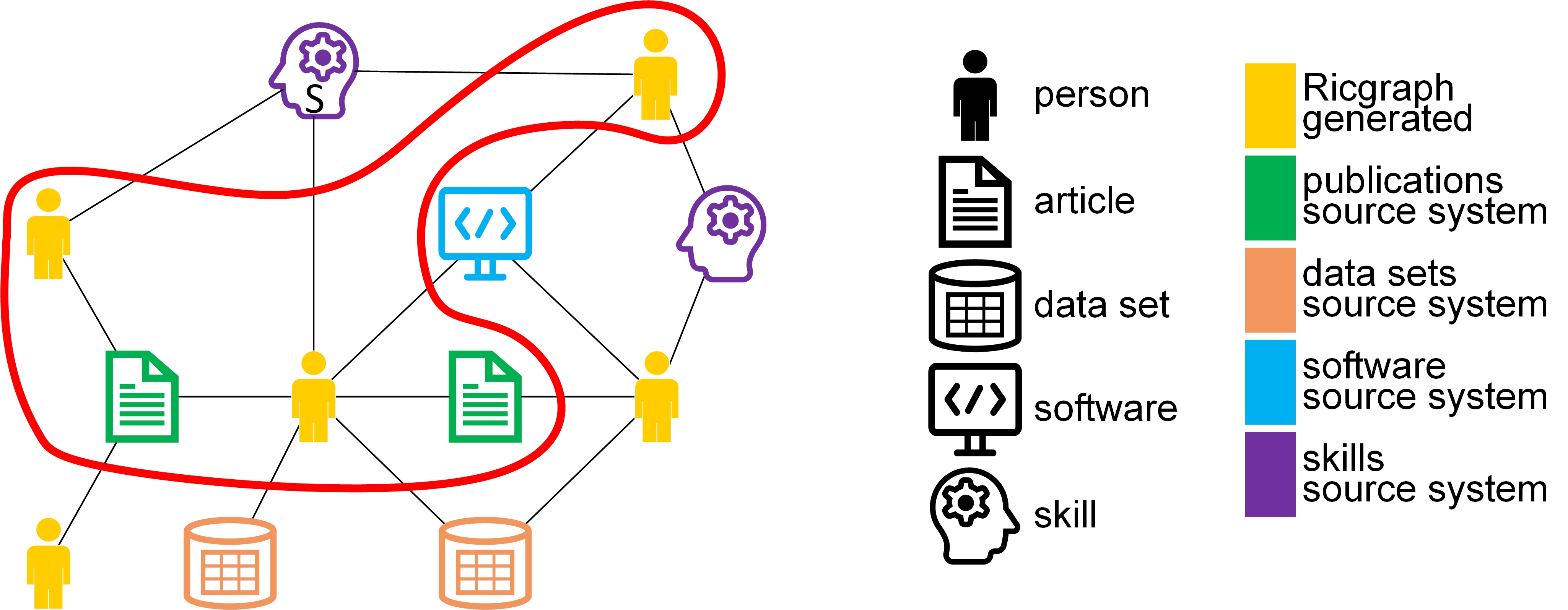
As a journalist, I want to find researchers with a certain skill S and their publications, so that I can interview them for a newspaper article. Example skills can be: climate change or stem cells. The items surrounded by the red line are the solution to this use case.
Use case for a librarian
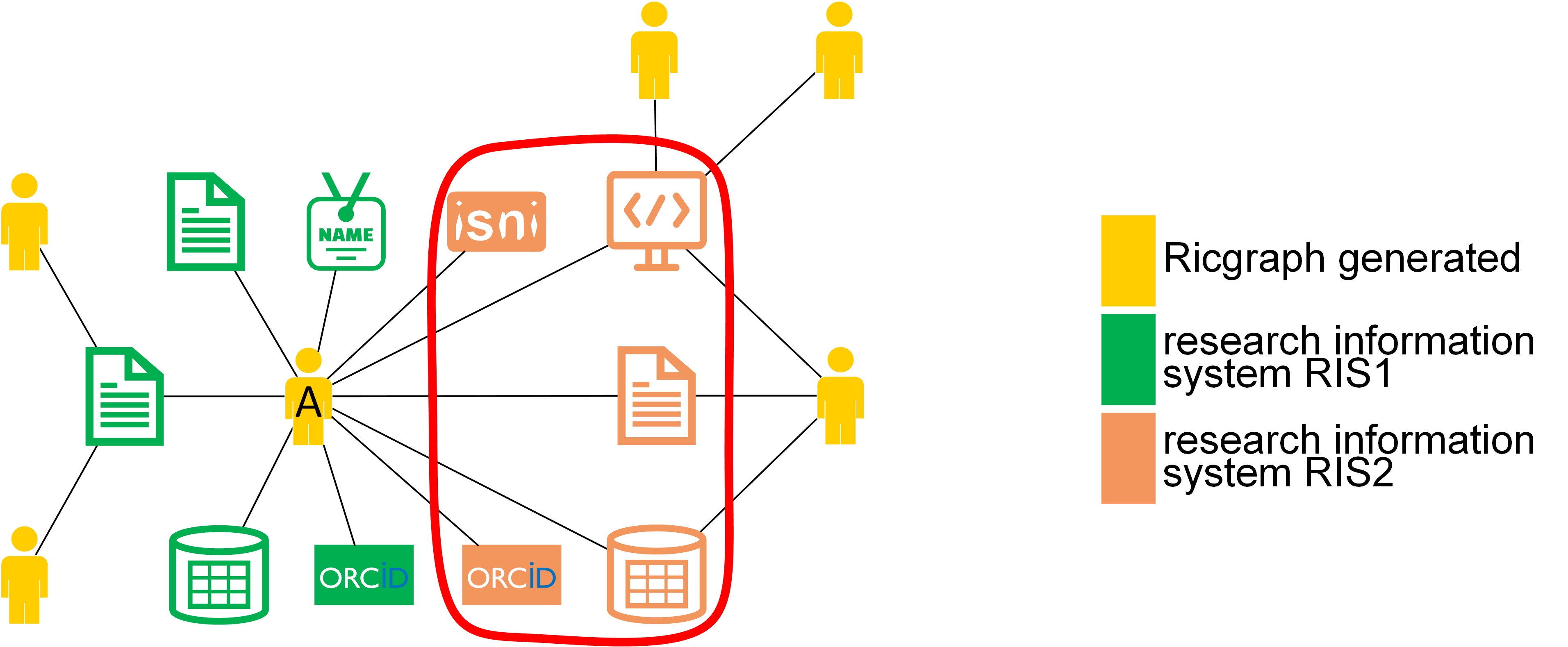
As a librarian, I want to enrich my local research information system with research results from person A that are in other systems (in orange, RIS2) but not in ours (in green, RIS1), so that we have a more complete view of research at our university. The items surrounded by the red line are the solution to this use case.
Use case for a researcher
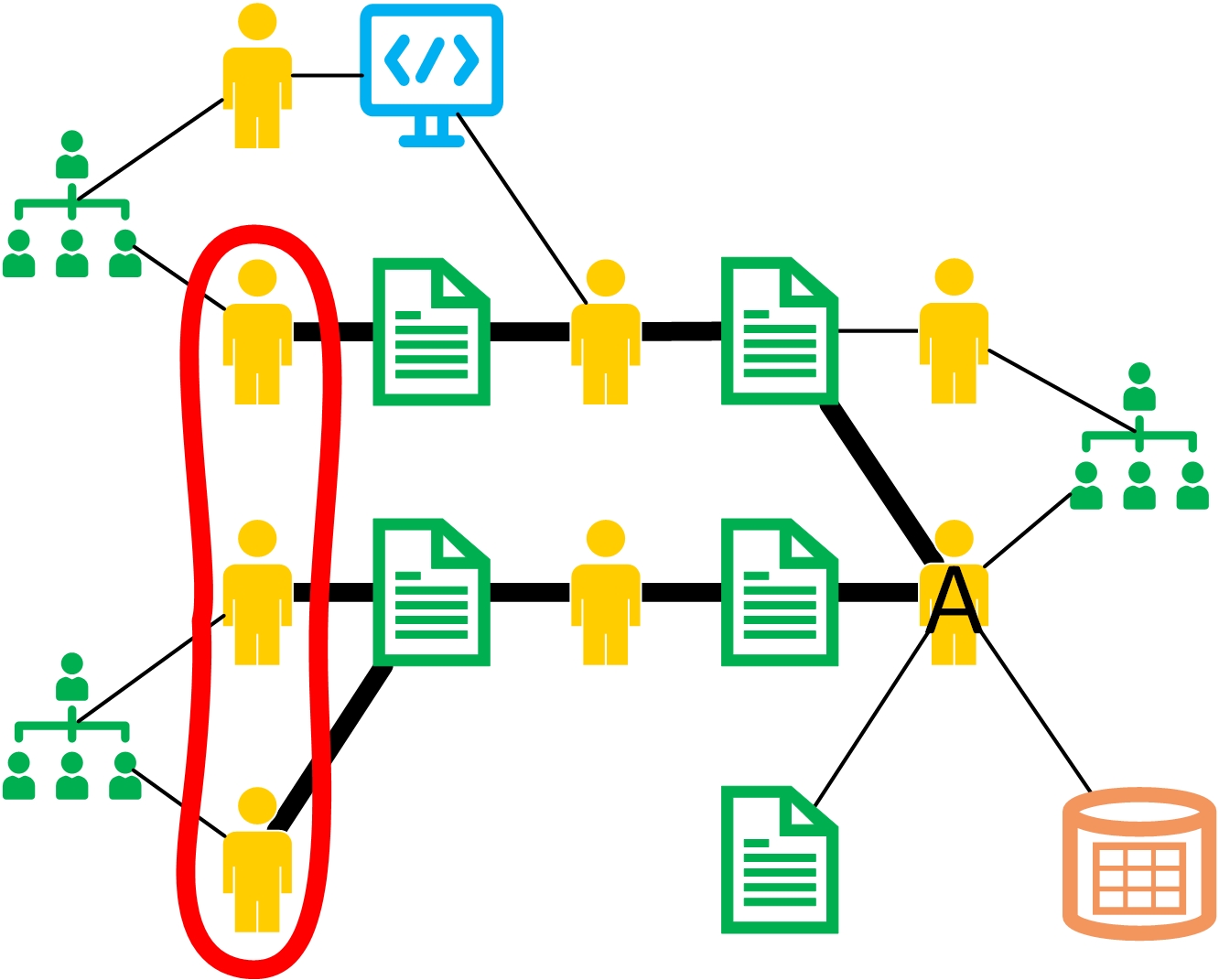
As a researcher A, I want to find researchers from other universities that have co-authored publications written by the co-authors of my own publications, so that I can read their publications to find out if we share common research interests. The items surrounded by the red line are the solution to this use case.
Example research questions
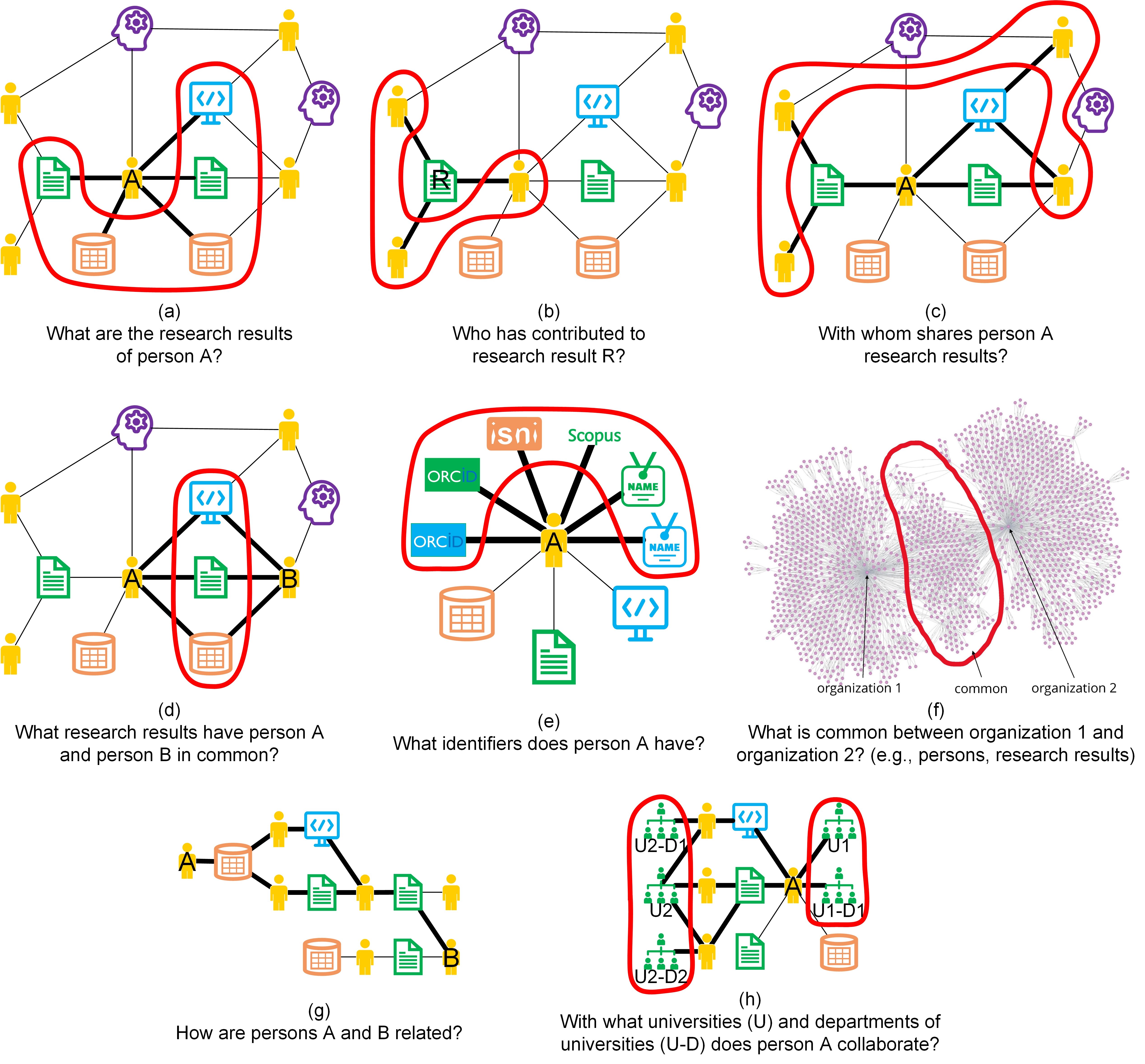
This figure shows eight example research questions that can be answered using Ricgraph:
- Figure a: What are the research results of person A?
- Figure b: Who has contributed to research result R?
- Figure c: With whom shares person A research results?
- Figure d: What research results have person A and person B in common?
- Figure e: What identifiers does a person A have
- Figure f: What is common between organization 1 and organization 2 (e.g. persons, research results)?
- Figure g: How are persons A and B related?
- Figure h: With what universities (U) and departments of universities (U-D) does person A collaborate?
Read more about Ricgraph
There are several places where you can start reading about Ricgraph:
- For a gentle introduction in Ricgraph, please read the reference publication: Rik D.T. Janssen (2024). Ricgraph: A flexible and extensible graph to explore research in context from various systems. SoftwareX, 26(101736). https://doi.org/10.1016/j.softx.2024.101736.
- We also have an article about collaborations and Ricgraph: Rik D.T. Janssen (2025). Utilizing Ricgraph to gain insights into research collaborations across institutions, at every organizational level. [preprint]. https://doi.org/10.2139/ssrn.5524439.
- Play the Ricgraph use cases video, or the Ricgraph introduction video.
- You can read the general presentation about Ricgraph, presenting Ricgraph in a visual manner: https://doi.org/10.5281/zenodo.12634234.
- You can read the presentation explaining how to enrich the Research Information System Pure (and other source systems) using Ricgraph and BackToPure: https://doi.org/10.5281/zenodo.12634658. This presentation explains that after harvesting several Pures (from different institutions) and other source systems, such as OpenAlex, one can enrich its own Pure A by using information in other source systems, not present in one’s own Pure A.
- Extensive documentation can be found on the Ricgraph documentation website.
- Source code can be found in the GitHub repository.
- Explore the Ricgraph outreach activities: publications, presentations, newsletters (to subscribe, go to Ricgraph Contact), projects with students, use, and mentions of Ricgraph.
Install and use Ricgraph
You can use Ricgraph by going to the Pilot project Open Ricgraph demo server. Then you don’t need to install anything.
You can install Ricgraph on your own computer or server, and use it with the default sources, or with your own sources. Doing this has the advantage that you can modify Ricgraph so it suits your needs. Please let me know if you create something that may benefit other users, so I can add it to Ricgraph.
Please follow these steps (for more details go to the Ricgraph documentation website):
- Install and configure Ricgraph. That page also describes how to harvest research information.
- Use Ricgraph Explorer, the exploration tool for Ricgraph.
- Use the Ricgraph REST API, the REST API for Ricgraph.
You can also download Ricgraph directly from the Ricgraph GitHub repository.
Next steps
Go to the Contact page.